




Carlospin Login
Carlospin login is the direct route back into your casino account. You can sign in with email and password or continue through Google, depending on the method you use. We keep access clear for returning players and keep sign-up nearby for anyone opening an account for the first time.


Carlospin Registration
Carlo Spin registration turns a guest visit into personal access to our casino. After sign-up, you can return with your own login details instead of opening Carlospin as a new visitor each time.
After that, the account covers the practical parts of regular use:
- Account access. Your email and password become the details you use to enter Carlospin from any device or browser.
- Saved details. Your basic account information stays available for actions that need it.
- Password recovery. Your registered email helps you restore access if you forget the password.
- Account tools. Registration opens the areas that guests cannot use, including payments, support, and account checks.
This makes everyday use cleaner. You sign in, manage what you need, and continue without repeating the setup process each time you open Carlo Spin.
How to Set Up Your Account
Creating a Carlospin account takes two short steps. First, set up your login details, then add the profile information needed for your player account.
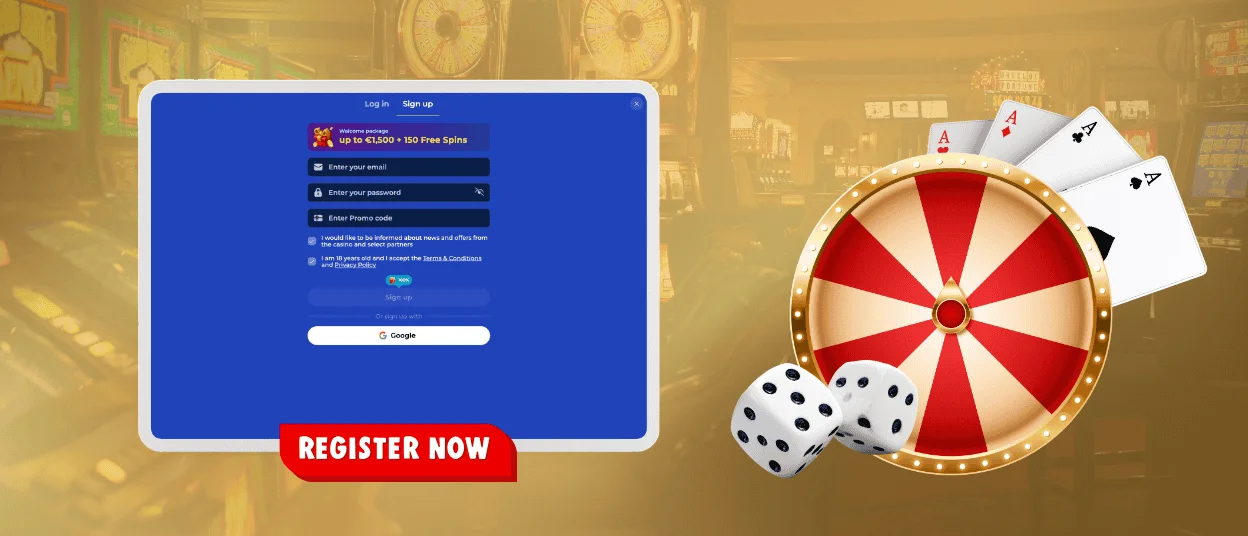
- Open “Sign up” and enter your email address.
- Create a password for your Carlospin login.
- Confirm that you accept the Terms and Conditions.
- Press “Sign Up” to continue.
- Add your first name, last name, date of birth, and phone number.
- Check the details and press “Save”.
Choose an email address you actually use. Carlospin sends password recovery messages and account updates there, so it should stay available after registration.
Carlo Spin Login and Account Management
To enter your account, open “Log in” and use the same access method you chose before: email and password or Google. This keeps the process clear, especially when you use Carlospin from more than one device.
A clean login flow is simple: choose “Log in”, enter the email linked to your account, use your current password or Google access, and check that the correct account opens. If you use Carlospin on a shared device, sign out when you finish.
After sign-in, use the account area for the action you came for. You might need to check a notice, update an available setting, continue with a payment action, or contact support. Keep your login method consistent, because switching between email access and Google access can create confusion if you do not remember how you first entered the account.
Common Carlospin Login Problems
Small login issues usually come from the email, password, saved browser data, or an unfinished profile. The table below shows what to check first before contacting support.
| Problem | What to check | What to do next |
| Password does not work | The password may be old or saved incorrectly | Use “Forgot password?” to reset it through your registered email |
| Email is not recognized | You may be using another email or Google login | Try the email from registration, or use Google if that was your access method |
| Profile is incomplete | The second registration step may not be finished | Add your name, date of birth, and phone number, then save the profile |
| Only demo games are available | Verification has not been completed | Complete verification before the account can move beyond demo play |
Verification at Carlospin Casino
Verification at Carlo Spin Casino is required for real-money play. You can open demo games after registration, but deposits, withdrawals, and real-money rounds need a verified account. We use KYC to keep money-related activity tied to the person who created the profile.
For verification, we may ask you to confirm:
- who you are;
- your current address;
- the payment method you use.
Use the same personal details you added during registration and send readable documents when we request them. The goal is simple: one real player, one verified account, and safe access to real-money features at Carlospin.
FAQ
Do I need verification right after registration?
No. You can register and try demo games first. Verification comes before you make a deposit, request a withdrawal, or play from your balance.
What happens if verification does not pass?
Demo games remain available, but the account cannot move to real-money play yet. Upload a clearer or more suitable document through your account, and verification can continue from there.
Can I recover my Carlo Spin account if I lose login access?
Yes. Use “Forgot password?” if you remember the email linked to your Carlospin account. The reset link goes to that inbox, so check spam too. If you no longer know which email you used, contact support before creating another account.
What if I created a second Carlospin account by accident?
Use one Carlospin account only. If you created a second account by accident, do not deposit or play from it. Contact support from your main account email, and we will help you close the duplicate or explain the next step.


